Inside the Institution
An interactive research tool for exploring coauthorship across scholars, departments, and research centers at Northeastern University.
- D3.js
- HTML Canvas
- Python
- Three.js
- Timeline
- Jul 2025 – May 2026
- Role
- Research, data analysis, design, and development
- Outcome
- Interactive prototype evaluated with 20 participants, an MFA thesis, and a NetSci 2026 poster
Section
Exploring collaboration
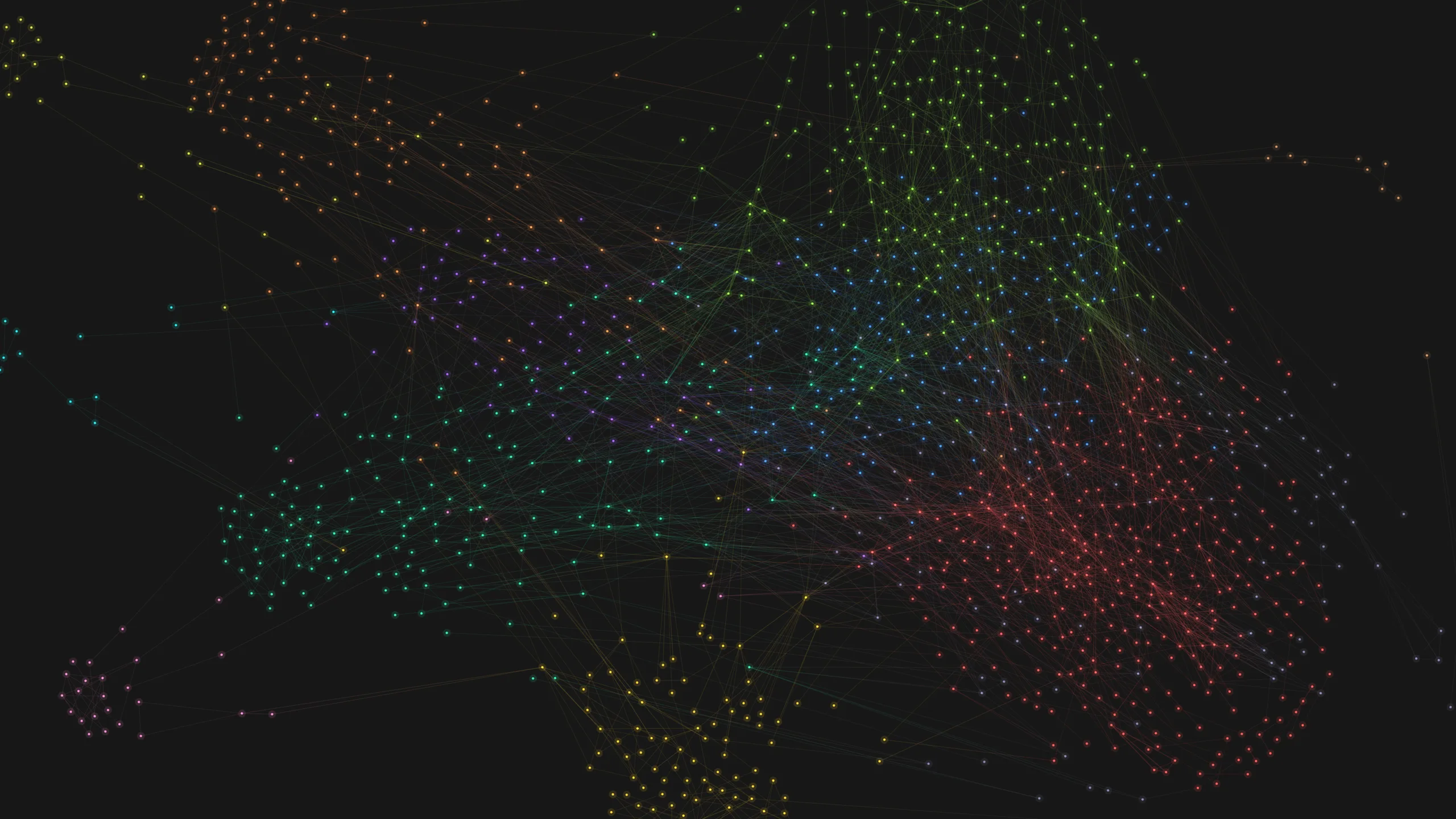
I curated the institutional data, analyzed the network, and designed and implemented the prototype. It brings together 2,737 faculty and 3,650 coauthorship ties across three exploratory views.
Research question
How can an interactive visualization help researchers explore collaboration within a university, across organizational units and individual scholars?
A coauthorship network shows who has published together. Exploring it at an institutional scale also requires knowing where people work and which organizational boundaries their collaborations cross. I organized the prototype around three ways into the same dataset.
Collaboration Map
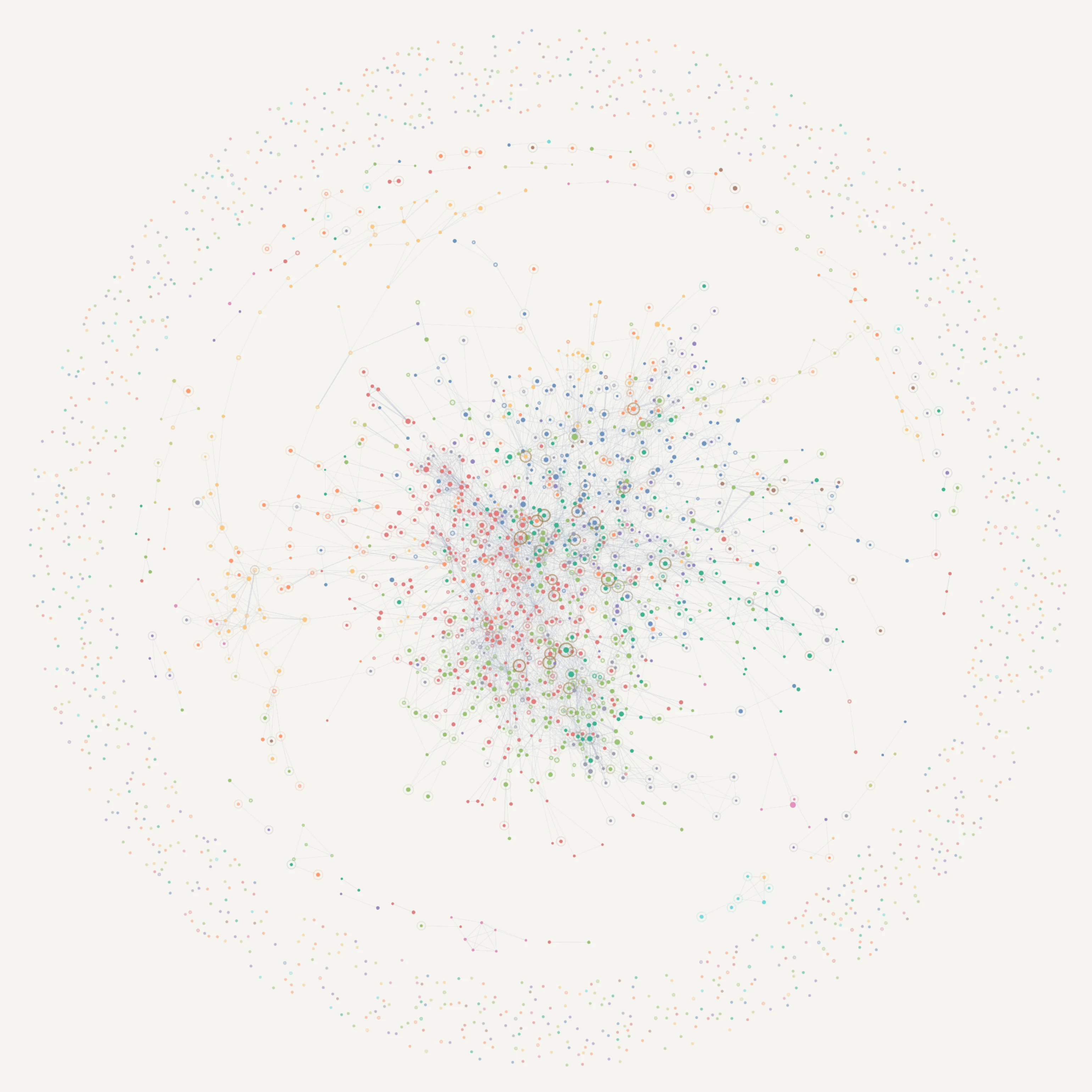
I used a force-directed layout to show coauthorship connections, with color indicating primary affiliation. Readers can filter by organizational unit and select a scholar to inspect their collaborators.
Research Units
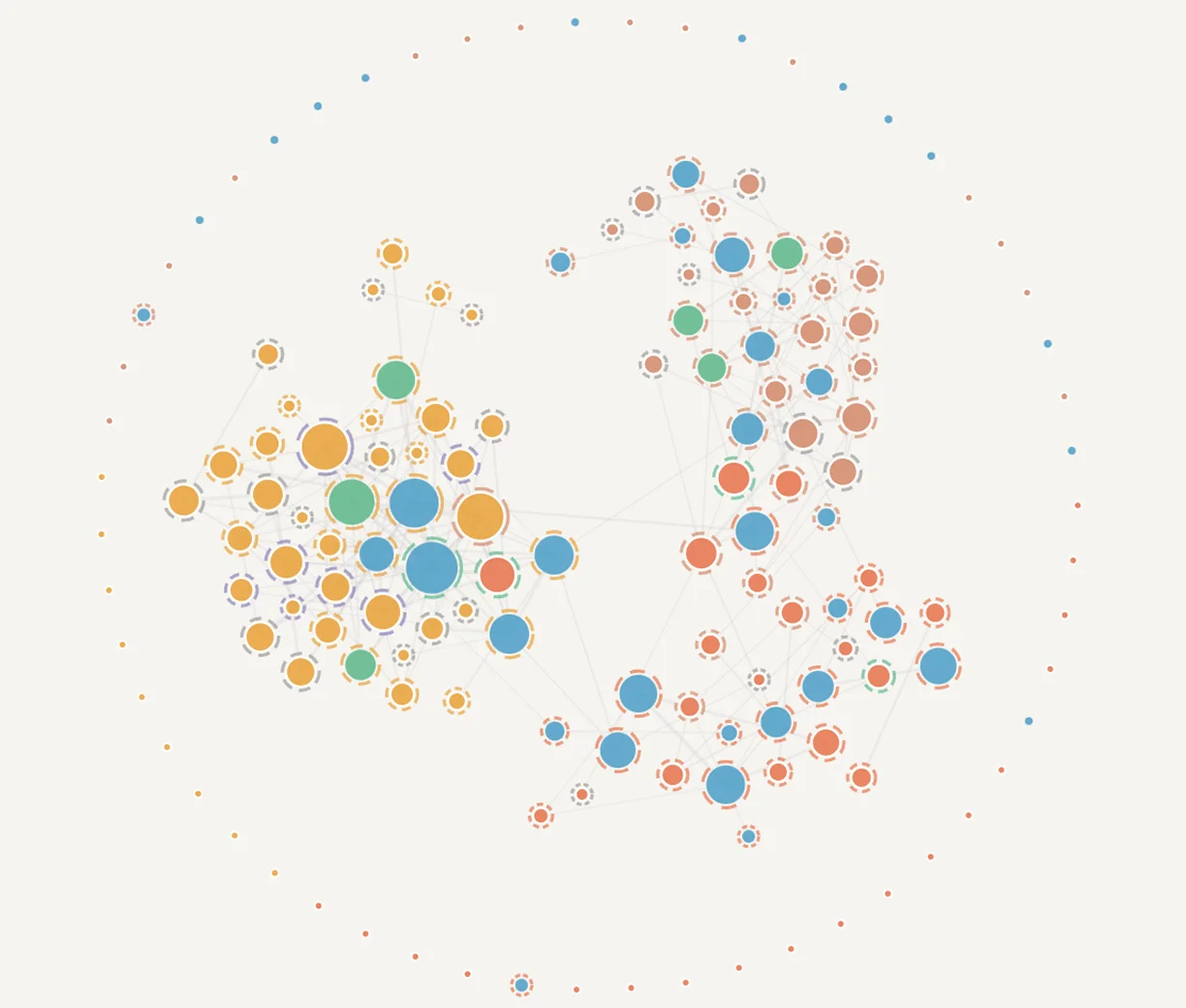
I grouped departments and research centers into a tiled layout so readers could start with an organizational unit, then inspect its members and collaboration measures.
Bridging Scholars
I explored a 3D layout to show connections between network communities. Readers can select a community to inspect its connections and the scholars linking it to others.
Building the dataset
The initial dataset identified scholars but lacked the affiliations needed to compare departments and research centers. I built the dataset through three steps:
- Curate institutional records. I manually curated faculty and research-unit records, including primary appointments, additional affiliations, employment status, and years at Northeastern.
- Connect publication data. I connected faculty records to OpenAlex publication data through identity checks and publication reconciliation.
- Build the network dataset. I generated coauthorship ties and unit-level summaries for the exploratory views.
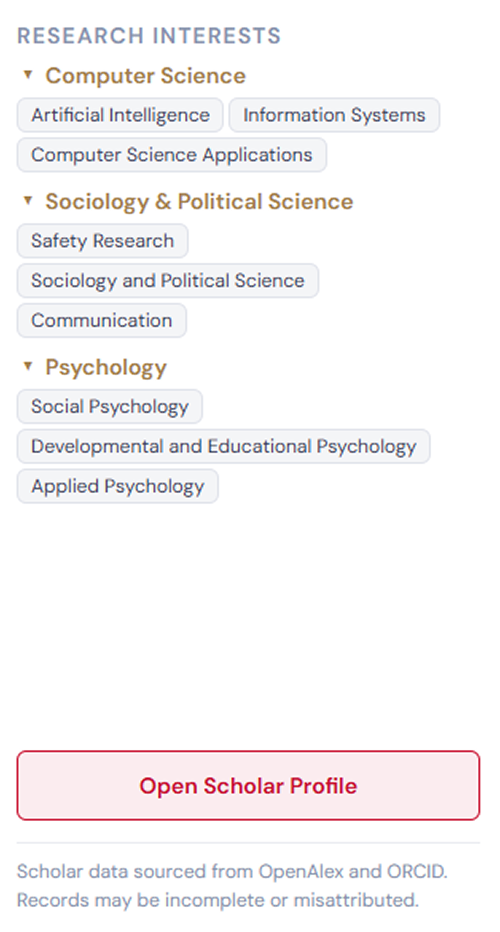
The organizational records cover 11 colleges, 46 departments, and 64 research centers, with a roster of current, retired, and former faculty. I recorded primary and additional affiliations separately; the scholar panel displays both departmental and research-center affiliations.
Coauthorship captures only part of collaboration. Missing publication records and differences in how disciplines publish also affect who appears connected. An unconnected person in this dataset should not be read as someone who does not collaborate.
Data scope and affiliation rules
The prototype includes units selected for this research dataset, rather than a complete historical record of the university. Faculty identities were matched to OpenAlex records; 266 roster entries had no main OpenAlex ID in the project dataset.
For faculty with multiple departmental affiliations, I used the designated primary department. Departmental affiliation took precedence when someone also belonged to a research center; center-only appointments retained their center affiliation. Additional affiliations were stored separately.
I also collected employment start and end years. Where the available sources supported only an approximate year, I marked it as an estimate in the source roster. These records do not establish a complete history of changes in departmental or center membership.
Designing the exploration
Adapting to a larger network
The project grew from an early prototype with 379 scholars to a roster of 2,737. At that scale, the overview needed routes into smaller, interpretable groups. I used unit filtering, local exploration, and scholar details to support movement between the institution and individual relationships.
Keeping details in context
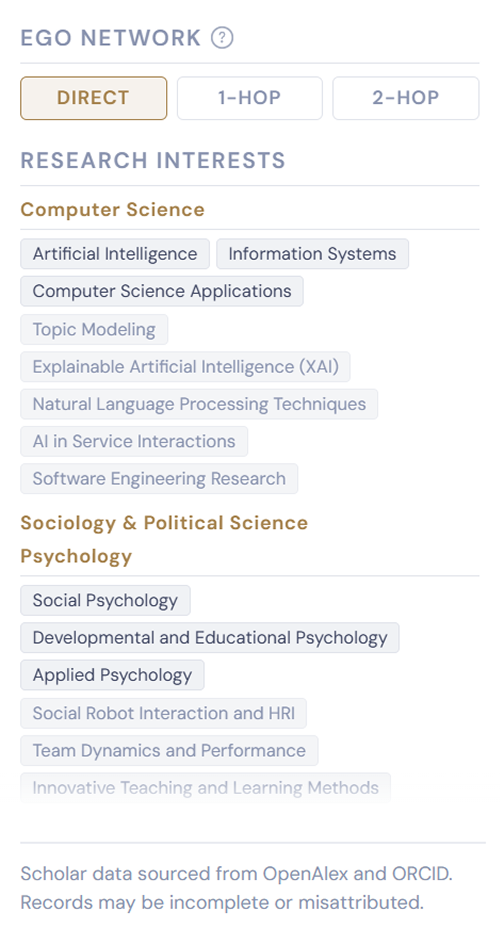
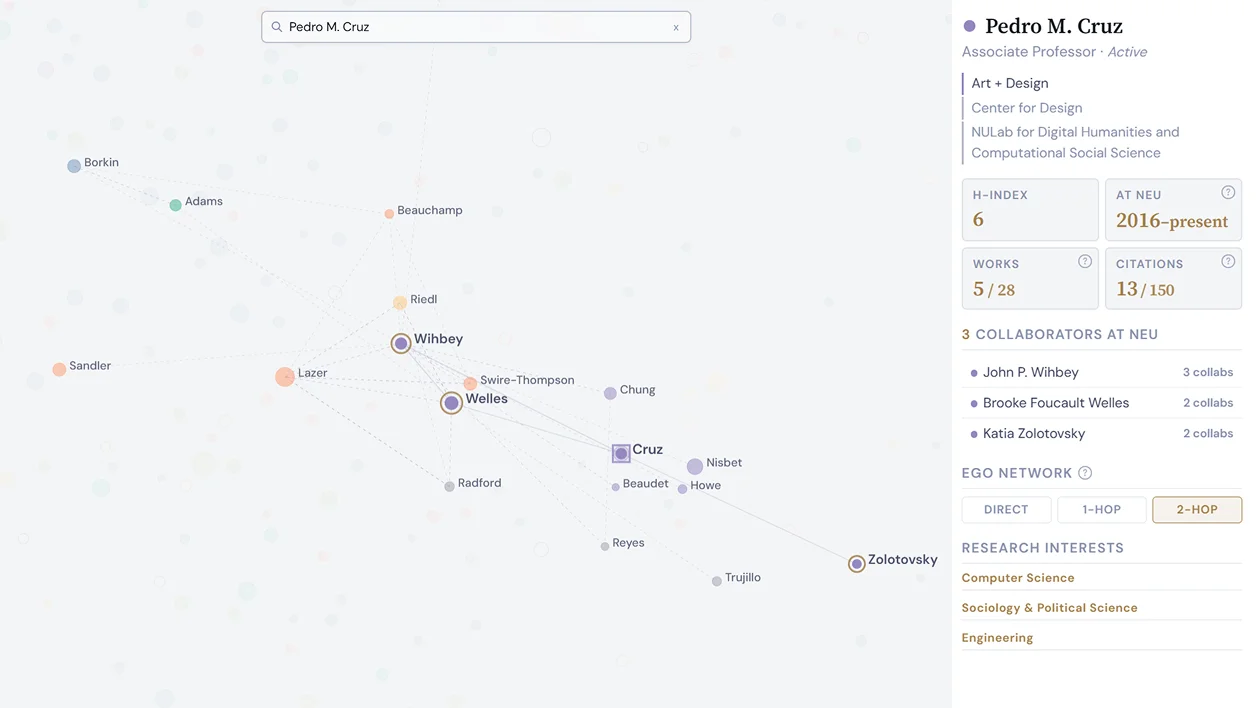
Earlier versions linked from the side panel to a separate scholar profile. I consolidated scholar details in the panel beside the map and added Direct, 1-Hop, and 2-Hop controls, bringing profile inspection and local network exploration into the same view.
Navigation across views
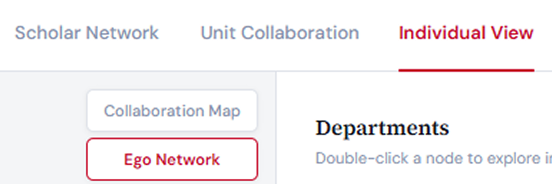
Earlier versions placed view navigation, sub-navigation, and search together in the header. I flattened the navigation and moved scholar search into the Collaboration Map to distinguish switching views from exploring within a view.

Choosing an organizational measure
I wanted to compare collaboration across departments, so I defined a score using the share of a scholar’s collaborators outside their department and the number of collaborators. Algorithmically detected communities would answer a different question: those groups do not necessarily follow organizational boundaries. The 3D view uses network communities, while this score uses departmental affiliations.
I treated the score as an entry point for exploration. It does not establish research quality, influence, or the value of a person’s collaborations.
How the score is defined
The intended score combines the proportion of cross-department collaborators with the logarithm of the total collaborator count:
Score equals cross-department collaborators divided by all collaborators, multiplied by the base-ten logarithm of all collaborators.
The proportion describes how much a person’s collaboration extends beyond their department; the logarithmic term also accounts for the size of that collaboration network. The result depends on affiliation assignments and publication coverage.
The original calculation script is unavailable, so the exported scores cannot be fully reproduced, including their eligibility rules and low-degree handling.
Implementation
I precomputed network measures and summaries in Python and built a client-side prototype using JavaScript, D3, Canvas, SVG, and Three.js.
Evaluating with researchers
I evaluated the prototype with 20 participants, most of whom were PhD researchers or postdoctoral researchers. Sessions combined open exploration with a task to find a surprising connection, followed by a questionnaire.
One participant noticed a scholar with a relatively low h-index but a high cross-department score. In this case, the score drew attention to a collaboration pattern that the h-index alone did not describe.
Another participant questioned whether cross-department collaboration also meant collaboration across research topics. This highlighted a distinction the interface needed to explain: departmental affiliation does not directly indicate research-topic similarity.
Evaluation approach
The participant group included 14 PhD or postdoctoral researchers, two faculty members, two staff members, one research professor or scientist, and one alumnus. Many were familiar with network-analysis tools, so the findings primarily reflect an experienced research audience.
Sessions lasted approximately 20 minutes and included exploration, a task, and feedback. The questionnaire contained 25 rating items across the individual views and the overall experience, alongside written responses.
The study was exploratory, with no baseline comparison. It identified useful interactions, interpretation problems, and usability issues; it does not establish performance gains or general usability for other audiences.
Changes and open issues
Feedback pointed to three areas where the interface needed clearer guidance or a different approach.
- Encoding and interaction guidance
- Updated. I revised the legend and added interaction guidance after the study. These changes have not been validated in a follow-up study.
- 3D navigation
- Planned. A 2D alternative remains a next step; the prototype still uses the 3D view.
- Meaning of “bridging”
- Unresolved. The definition remains unresolved in the prototype. The next revision needs to make the measured boundary explicit wherever the score appears.
Outcome and next steps
The project produced an interactive prototype, an MFA thesis, and a poster presented at NetSci 2026. I connected institutional records and publication data so researchers could explore collaboration across organizational units and individual scholars.
The evaluation highlighted a remaining design problem: readers needed clearer explanations of what each measure represented, particularly the difference between departmental boundaries and research topics. My next priorities are to clarify the score’s definition and test a 2D alternative to the community view.
Credits
- Skills
- Data visualization
- Data curation and network analysis
- Interaction design
- UX research
- Front-end development
- Tools
- D3.js
- Python
- Three.js
- HTML Canvas
- Scholarly APIs (OpenAlex and ORCID)
- Roles
Data curation, analysis, design, development, and evaluation
- Zhuoqi Liu
Advising
- Dakota Murray
- Nabeel Gillani
- Alina Lungeanu
Full credits
- Special thanks
- Network Science Institute
- Todd Linkner
- Kristine Lu
- Isabel Dmitruk
- Note
Claude Code assisted with code implementation and optimization for selected features.