EmoEase
A projection installation that responds to visitors’ presence using Kinect, particles, and emoji.
- TouchDesigner
- Kinect
- Timeline
- Oct 2023 – Nov 2023
- Role
- User research, interaction design, and development
- Outcome
- Interactive projection installation
Section
Research context
I started EmoEase with a personal question: why did social media sometimes leave me anxious even when I knew much of what I was seeing was curated or exaggerated?
In a survey with 106 valid responses, 77 people (72.6%) said they had been troubled by over-packaged content on social media.
Six interviews showed different reactions. One interviewee said people tend to notice such content only afterward and feel embarrassed to say so. Another said that once they noticed content was exaggerated, they turned to friends for support, and another mentioned connecting with people in real life.
Building the projection
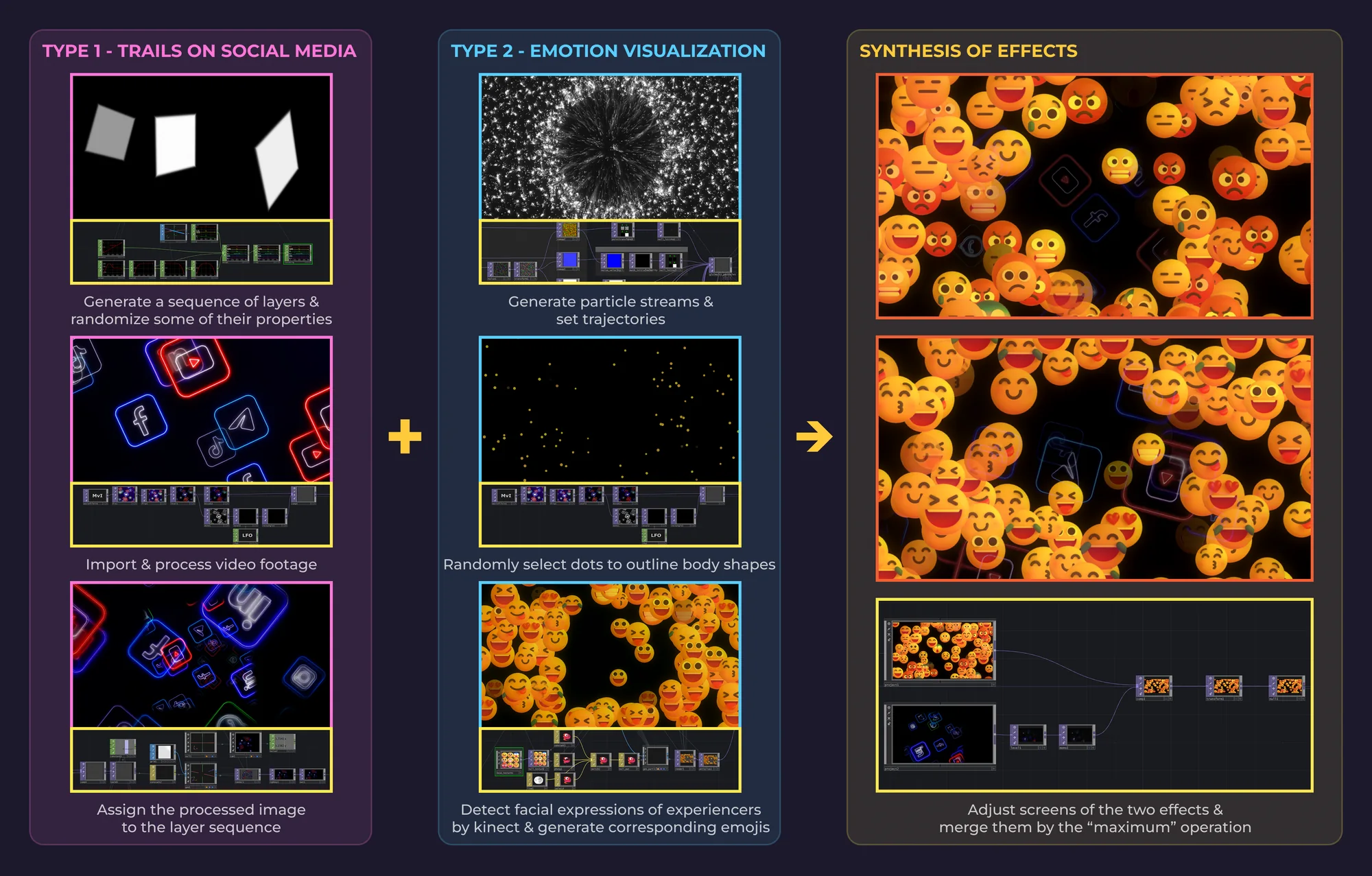
I built EmoEase in TouchDesigner as a projection that combines two layers in one image: imported social media footage, which I processed into layered trails, and the visitor’s body, which a Kinect turns into a particle silhouette surrounded by emoji.
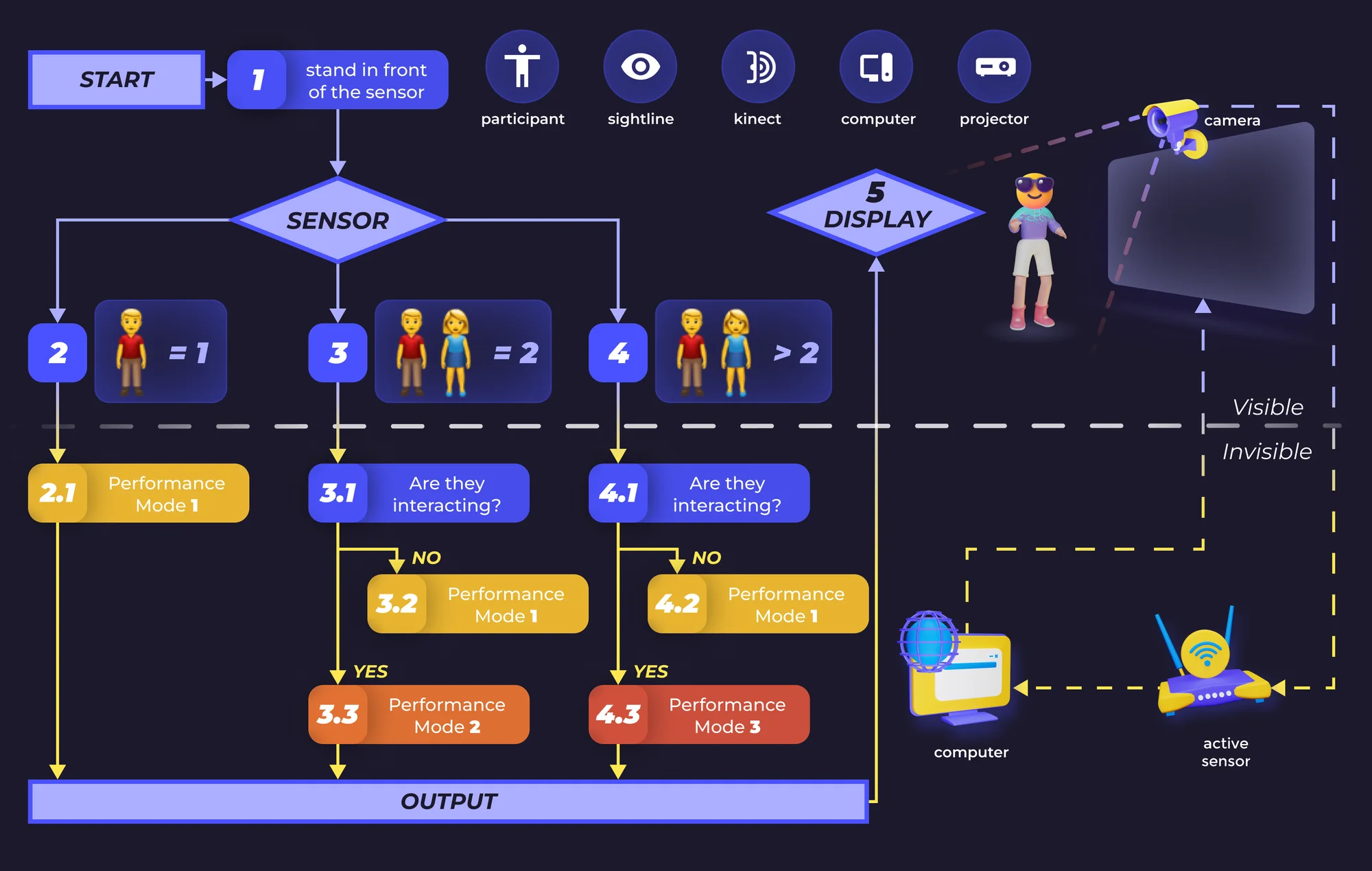
I also set a simple rule for how the projection changes with the number of people in front of it. The thresholds were my own choice.
How the projection was built
Body tracking. A Kinect supplied the depth image and the skeleton.
The body layer. The depth silhouette drives a particle system, so the visitor appears as particles rather than as camera video. In the design, facial expressions map to the emoji that grow out of the silhouette; the mapping is a visual rule and does not identify how anyone feels.
Compositing. The two layers merge with a maximum operation, which keeps the brighter of the two at each pixel.
Interaction rule. The flowchart is the interaction specification I wrote for the number-of-people rule.
In the room
I used emoji as the visual language because they come from the platforms the project was questioning, so the projection answers in their vocabulary.
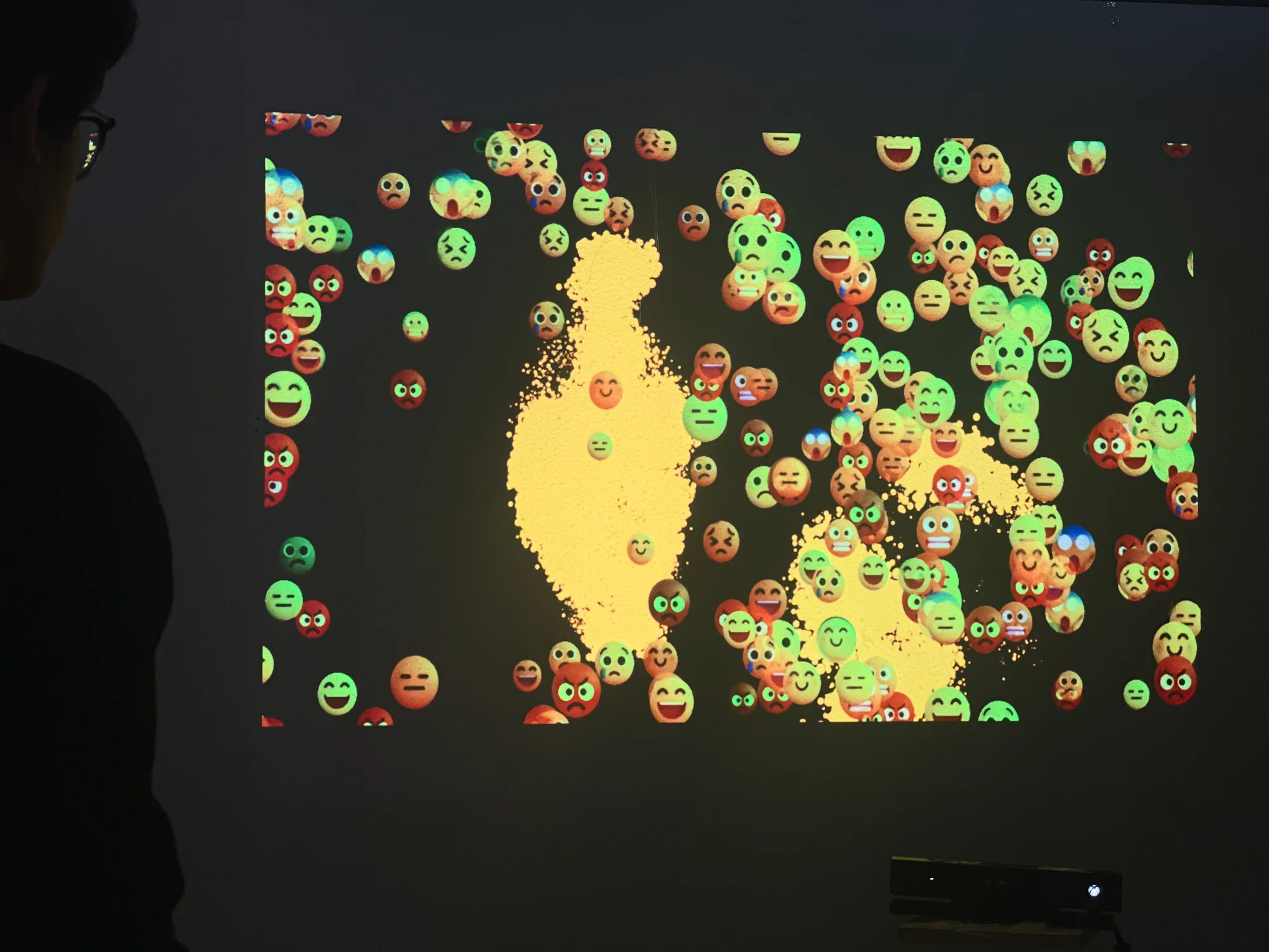
The installation ran with visitors interacting with it, as the demo video and the photo below show, but I did not formally evaluate whether it changed their awareness.
Credits
- Skills
- Interaction design
- Creative technology
- User research
- Experience design
- Prototyping
- Tools
- TouchDesigner
- Kinect
- Roles
Design and development
- Zhuoqi Liu
Portfolio guidance
- Vince Ye